3D Virtual World Series : demonstrating the program Coastal Navigation
Number 2 : Marine Chart - supports Zoom in and Out, Navigational Aid Information and Line Drawing.


Your Browser Java VM
may be Disabled?
Context Help : is provided for all Control Devices. Place mouse cursor on the Control and wait 2s.
Longitude and Latitude are shown in Degrees Minutes and Seconds. The Line Angle is in degrees True and Range is in Nautical Miles.
The Chart Cursor is the small circle with a cross in its center.
The Marine Chart covers Moreton Bay Australia and the Blue Square shows the Operational area used in all the Applets.
Move around the Chart using the direction keys and notice that the Longitude and Latitude always show the current position of the Chart Cursor.
Navigational Aid Information is included for all Aids within the blue square.
Line drawing has been included so that distances and bearings between two point can be measured on the Chart.
Please Wait for applet to load...   its worth the wait!    Applet not showing? Browser must support Java 1.1 + and be Java Enable

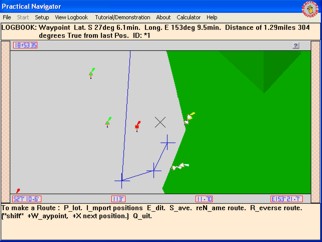
Screen Capture Coastal Navigation includes
Chart Demonstrations and Tests for :
Plotting a Line of Position.
Plotting a Position.
Laying out a Route with Waypoints.
Reading a Bearing or Heading.
Supports:
Updates and alterations.
Latitude,Longitude, degrees True & Magnetic, Nautical Miles.

Screen Shot from Coastal Navigation - Practical Navigator

Practical Navigator practicalnavigator.com.au © Practical Navigator